For a long time, the way we talked to AI was a bit like shouting into a well and hoping for a clear echo. We treated it like a magic box: throw in a few words, cross your fingers, and hope the machine spits out something that doesn't look like a fever dream. But the "chatting" phase of AI is ending. We are moving into an era of structured prompt management, where creators act more like directors and architects than casual users.
If you want to move beyond generic outputs and start creating cinematic-level content, you have to understand the underlying structure of a high-tier prompt. It’s not about being "good with words"; it’s about engineering a framework that the AI can actually follow.
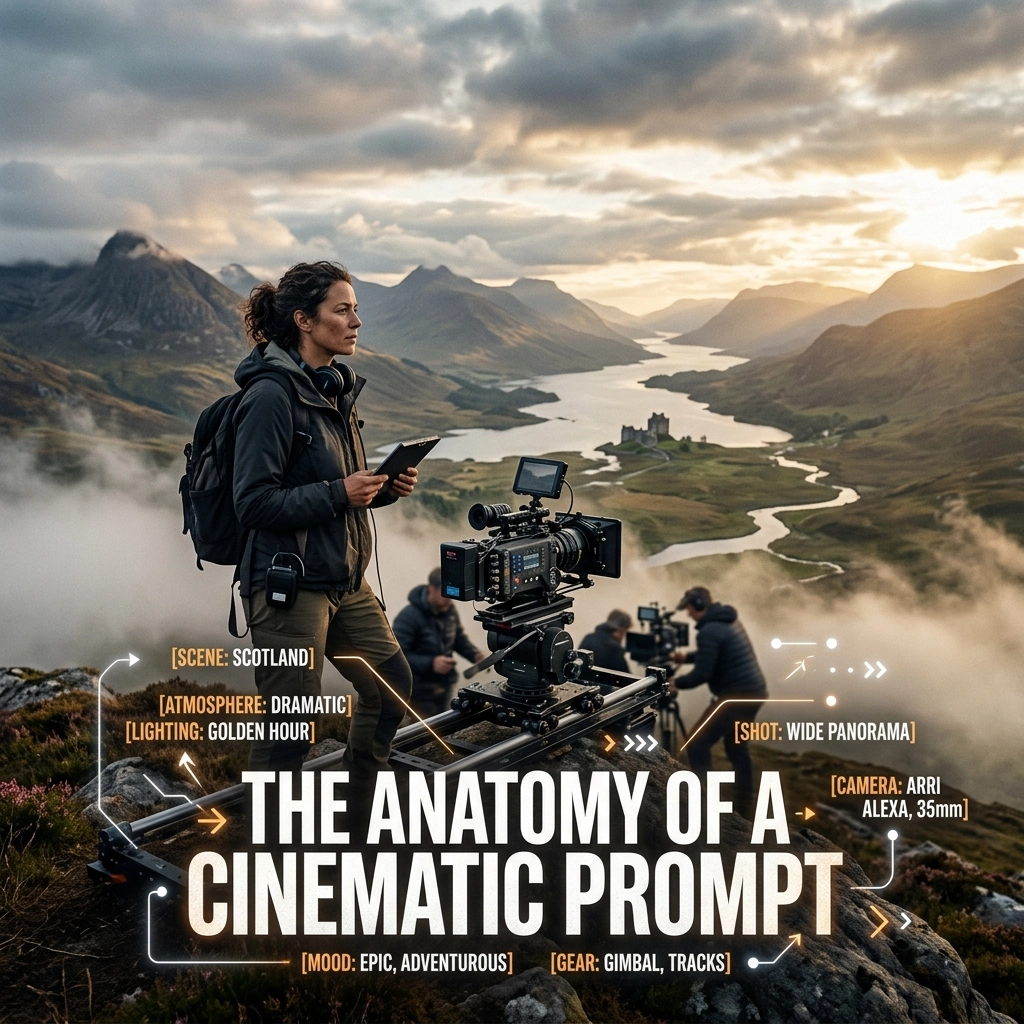
There are four essential elements to every cinematic prompt that works: Instruction, Context, Input Data, and the Output Indicator. When you master these, you stop guessing and start building.
1. Instruction: The North Star
The instruction is the most direct part of your prompt. It’s the command. If you’re building a cinematic scene, this is your "Action!" moment. However, most people fail here because they are too vague. "Write a story" is a weak instruction. "Generate a three-act cinematic script treatment" is a command with teeth.
In a cinematic context, your instruction needs to define the primary task without room for ambiguity. Are you asking the AI to describe a visual? To write dialogue? To storyboard a sequence? The verb you choose sets the stage for everything that follows.

2. Context: Building the World
Context is where the soul of the prompt lives. This is where you provide the "why" and the "where." Without context, the AI has no guardrails. It doesn't know if it’s writing a gritty noir film or a bright, futuristic space opera.
In the visionary space we play in, context isn’t just a setting; it’s a persona. You aren't just asking for a script; you’re telling the AI to adopt the persona of an award-winning cinematographer or a visionary director. You are defining the atmosphere.
When we look at the language of cinema, context includes things like:
- The Mood: Is it melancholy? Is it filled with wonder?
- The Aesthetic: Are we looking at a "Blade Runner" neon-dystopia or an "A24" minimalist horror vibe?
- The Technical Constraints: This is where you pull from the research of real filmmaking. Mentioning a 50mm lens, a shallow depth of field, or dramatic rim lighting gives the AI a technical framework to operate within.
3. Input Data: The Raw Material
Think of input data as the fuel for the engine. This is the specific information you want the AI to process. In a simple prompt, this might just be a single sentence. In a professional workflow, this could be an entire story bible, a set of character descriptions, or a specific visual reference.
The more high-quality raw material you provide, the less the AI has to "hallucinate" to fill the gaps. If you want a scene about a specific character, don't just say "a man." Give the AI the input: "Elias, a 70-year-old clockmaker with grease-stained hands and a habit of humming jazz tunes."
By separating your input data from your instructions, you keep the prompt clean. You’re saying: "Here is the material (Input), and here is what I want you to do with it (Instruction)."
4. Output Indicator: The Final Delivery
The output indicator is the most overlooked part of the anatomy. It’s where you tell the AI exactly how to hand the work back to you.
Do you want a raw block of text? A JSON file for a dev project? A formatted screenplay? Or maybe a list of camera shots? If you don't specify the output indicator, you’ll spend half your time re-formatting what the AI gives you.
For creators, this is about efficiency. You want the output to be ready to use. If I’m building a shot list, my output indicator might be: "Present the output as a table with columns for Shot Number, Camera Angle, Action, and Lighting Cues."

The Case of the Wise Wolf in the Clouds
To see how these four elements work together in a complex creative task, let’s look at a movie script generator example: The Wise Wolf in the Clouds.
Imagine we want to create a scene where a protagonist seeks wisdom from a celestial being.
- Instruction: Write a high-tension dialogue scene between a traveler and a celestial wolf.
- Context: The setting is a dreamscape: a sea of clouds at sunset. The tone is ethereal and intimidating. The wolf speaks in riddles and possesses ancient, cosmic knowledge. Use cinematic pacing with heavy emphasis on visual subtext.
- Input Data: The traveler is named Kael. He is desperate to save his village from a drought. The wolf is the size of a mountain, made of starlight and fur that looks like shifting nebulae.
- Output Indicator: Format this as a professional screenplay script, including parentheticals for emotional cues and specific "Camera Directions" in the action lines.
When you feed an AI a structure like this, it doesn't just "chat" back at you. It performs. It understands that "starlight and shifting nebulae" (Input) needs to be translated into "cinematic pacing" (Context) within a "screenplay format" (Output Indicator). The result is a scene that feels intentional, layered, and ready for production.
From Chatting to Structured Management
The biggest shift happening right now isn't just that AI is getting "smarter": it's that we are getting better at managing it. We are moving away from the "one-shot" prompt where we hope for the best, and moving toward prompt management systems.
For creators and designers, this means building a library of "Instruction" sets and "Context" blocks that can be swapped out depending on the project. It’s about creating a repeatable workflow.
If you are a designer, you might have a "Context" block that defines your specific brand aesthetic: the lighting, the textures, the cultural heritage you want to honor. Whenever you need a new asset, you don't rewrite that from scratch. You pull that "Context" block, add your new "Input Data," and hit go.

This is how we maintain a consistent visionary voice across everything we do. It’s not about letting the AI take the wheel; it’s about giving the AI a very detailed map and a high-performance engine, then sitting in the director’s chair to make sure it hits every turn.
The Technical Layer of the Cinematic Prompt
To truly hit that cinematic level, we have to borrow from the masters of the craft. We aren't just describing things; we are using the language of the lens.
When you are crafting your Context and Output Indicators, think about the five pillars of composition:
- Geometry: Mention the lines and shapes. Tell the AI to use leading lines to draw the eye to the subject.
- Camera: Don't just say "look at the wolf." Say "Low-angle wide shot to emphasize the scale of the celestial wolf against the traveler."
- Depth: Specify the layering. "Foreground: wisps of clouds. Middle ground: Kael kneeling. Background: the infinite horizon of the star-wolf."
- Color & Tone: Instead of "pretty colors," ask for "a desaturated palette with high contrast and warm amber highlights in the shadows."
- Lighting: This is the secret sauce. "Volumetric lighting," "God rays," "Chiaroscuro," or "Soft bounce light" are terms that tell the AI exactly how to shape the scene.

Building the Future of Storytelling
We are standing at a point where the barrier between a brilliant idea and a cinematic reality is thinner than ever. But that thinness requires more precision from us, not less.
The anatomy of a cinematic prompt is really the anatomy of clear thinking. It forces us to ask: What am I actually trying to do? What is the world this lives in? What are the facts? And how should it be delivered?
When we approach AI with this level of structure, we aren't just users anymore. We are architects of culture. We are taking the raw power of these models and directing them toward a vision that is intentional, soulful, and visually stunning.
The days of accidental brilliance are over. The era of the engineered masterpiece is here.
For more on the intersection of AI, design, and culture, head over to monroerodriguez.com.